Table of Contents
“Sorry, was that you or me?” If you’ve said this more than once this week, two people are trying to use one room the same way one person would, and it’s not working. Two desks in a room built for one workspace need a different set of decisions than a single desk does, starting with which direction each of you is actually facing.
Here’s the direct answer: two people can share one small room as a real, functional office for both of them, as long as the desks face away from each other, each person has a small zone that’s genuinely their own, and you’ve agreed on a few simple rules for overlapping calls. This guide covers the specific decisions that make two workspaces coexist in one room instead of constantly competing for it.
What’s the first decision when two people share one room as an office?
The first decision is which direction each desk faces, and the answer is almost never toward each other. Two people facing one another across a room means two screens, two conversations, and two sets of body language all landing in each other’s peripheral vision constantly, which makes focused work far harder than the room’s small size alone would explain.
Facing away from each other, whether that means back-to-back down the center of the room or each person angled toward their own wall, removes most of that constant visual pull. Neither person becomes the other’s ambient distraction just by existing in the same space. It sounds like a small adjustment, but it’s the single change that determines whether the rest of this setup works.
Which desk layout actually works: back-to-back, L-shape, or opposite walls?
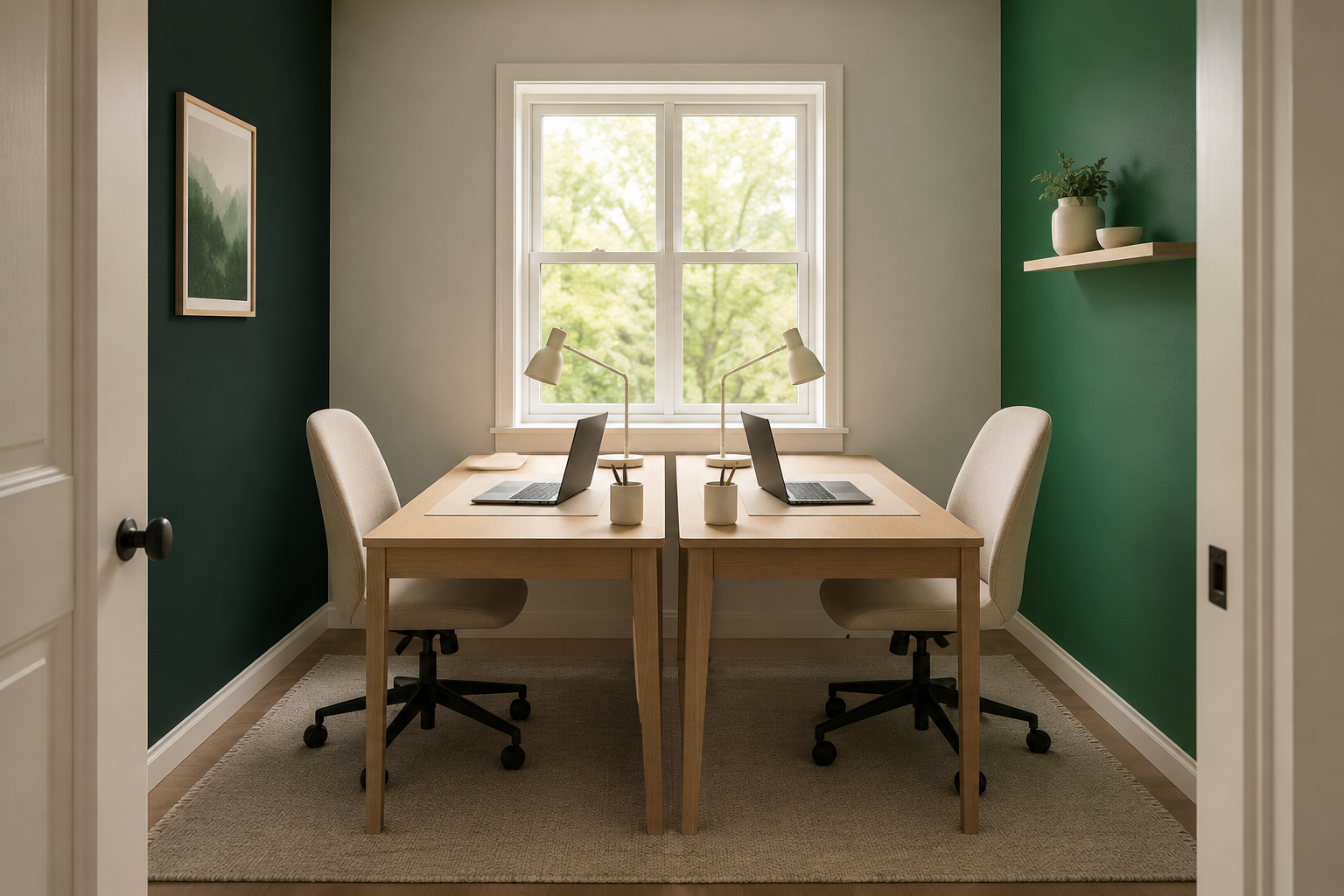
Back-to-back desks down the center of the room work best in a rectangular space with enough width to walk around both sides, since it uses the room’s full length and keeps both people facing outward toward a wall instead of each other. This layout also splits the room’s natural light fairly evenly if the window sits along a side wall rather than at one end.
An L-shape, with desks meeting at a corner but each person facing a different wall, works well in a smaller or more irregularly shaped room, since it uses two walls instead of floor space down the middle. The trade-off is that the corner itself can become a pinch point for cables and foot traffic, so it’s worth keeping that corner clear of storage. <a href=”/shared-space-home-office-guide”>This complete guide to a shared-space home office covers the broader layout principles that apply whether you’re sharing the room with a partner or working in it alone.</a>
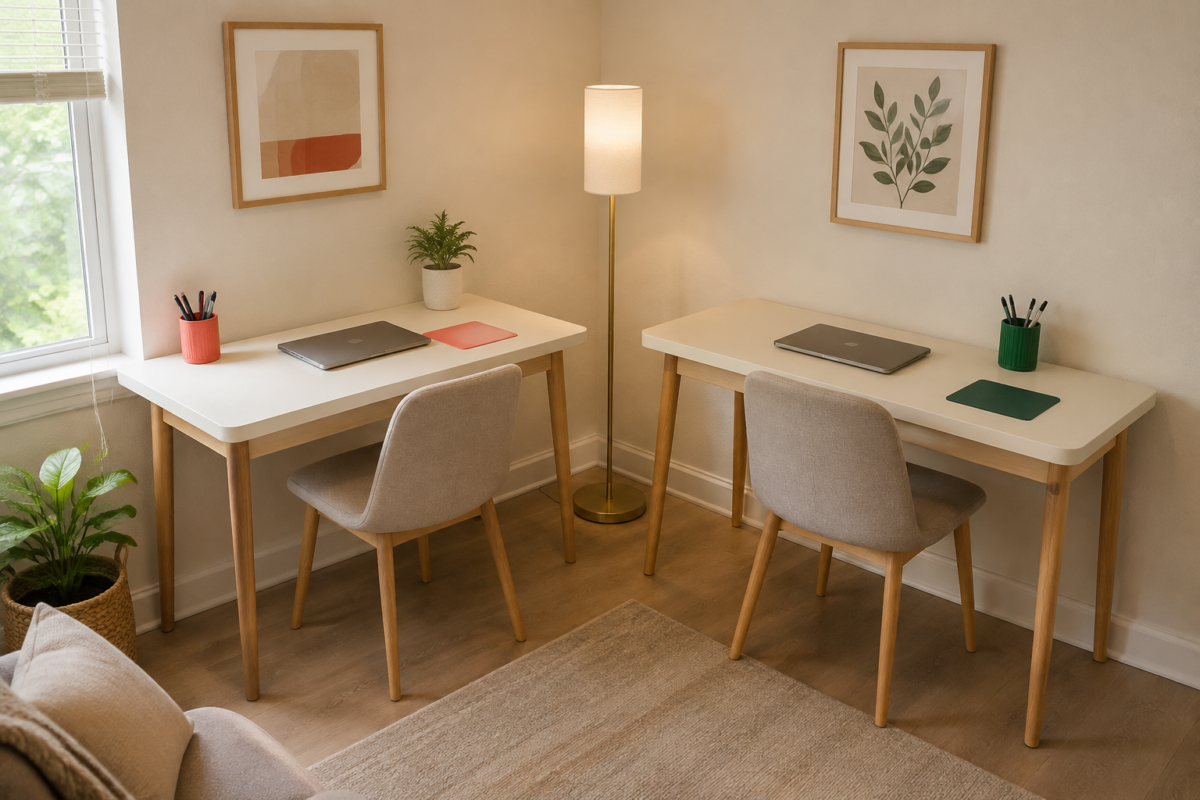
Opposite walls, each desk against its own wall with the room’s open floor space in between, works best when the room is wide enough that neither person’s chair backs into the other’s workspace. This layout gives each person the most physical distance of the three options, which matters if one of you takes calls far more often than the other.
Whichever layout fits your room, keep each person’s desk zone visually distinct, different desk accessories, a different small plant, even just a different color notebook, so the room reads as two workspaces rather than one long shared surface.
How do you handle two video calls happening in the room at the same time?
Agree on a simple rule for overlapping calls before they cause a problem, not after: headphones with a built-in microphone as the default for both of you, and a quick heads-up, a hand signal, a text across the room, when a call is starting. Two people talking over each other in one room is almost entirely a coordination problem, not a room-size problem, and it’s solvable without spending anything.
Research on shared offices consistently finds that overheard conversation, more than any other kind of noise, is what actually breaks concentration and drags down focus. That matters here specifically: it’s not the room being small that causes the strain, it’s the unmanaged overlap of two conversations. Once headphones and a basic signal system are in place, most of that strain disappears even in a genuinely small room. <a href=”/camera-ready-video-call-background”>If your side of the room needs its own camera-ready setup, this guide to a two-minute background fix works whether you’re sharing the room or not.</a>
If your schedules allow any flexibility at all, staggering your heaviest call blocks, even by thirty minutes, cuts down on the number of times you’re both talking at once far more than any physical fix to the room itself.
How do you keep two people’s supplies from mixing and cluttering the room?
Give each person a fully separate storage zone, even a single small shelf or drawer unit each, rather than sharing bins or trays between you. Shared storage in a small room turns into a slow-motion argument about whose stapler that is, while separate zones, even tiny ones, keep both people’s supplies genuinely findable.
A rolling two-drawer cart per person, tucked under or beside each desk, works well here because it keeps supplies contained and moves with the desk if you ever need to rearrange the room. Label drawers if it helps, especially if you’re sharing the room with a roommate rather than a partner, since ownership tends to matter more between roommates than between partners.
How do you handle wifi and equipment when you’re both online for work at once?
Run a wired ethernet connection to at least one of the two desks if your router allows it, since two people on video calls simultaneously puts real strain on a wifi connection that a single person’s setup never has to handle. <a href=”/reliable-small-home-office-tech-setup”>This guide to a reliable small home office tech setup covers router placement and wired connections in more detail, which matters even more once two people are drawing on the same connection at once.</a>
If a wired connection to both desks isn’t practical, prioritize it for whichever one of you has more frequent or higher-stakes calls, and keep the other desk on wifi with the router positioned as close and unobstructed as possible.
What a working two-person setup actually looks like
Once the desks face outward instead of at each other, each person has a storage zone that’s actually theirs, and headphones plus a quick signal handle the overlapping-call problem, the room stops feeling like a negotiation and starts feeling like two real workspaces that happen to share a floor. The “was that you or me” moments get rare enough that you stop counting them.
FAQ
Is it actually possible to focus with someone else working in the same small room? Yes, especially once the desks face away from each other and headphones handle overlapping calls. Most of the distraction in a shared room comes from unmanaged noise and sightlines, both of which are fixable without more space.
What’s the best desk layout if our room is narrow rather than square? Back-to-back desks down the center usually work best in a narrow, rectangular room, since it uses the room’s length rather than requiring width on both sides.
Do we need two separate internet connections? No. A single connection works for two people as long as it’s set up well, ideally with at least one desk on a wired ethernet connection rather than both relying entirely on wifi.
How do we stop constantly interrupting each other during calls? A simple, agreed-on signal, a hand raised, a quick text, a specific object placed on the desk, prevents most accidental interruptions, paired with headphones as the default rather than the exception.
Related Reading
- The Complete Guide to a Shared-Space Home Office — the broader layout and privacy principles this two-person setup builds on.
- The Tech Setup That Keeps a Small Home Office Reliable — for handling the extra strain two people online at once puts on a home network.
- Setting Up a Camera-Ready Background in Two Minutes or Less — for making sure each person’s side of the room looks intentional on camera.
- Parent Category: Shared-Space Offices
- Parent Hub: Home Office & Small Workspaces