Table of Contents
A laptop charger, a phone cable, a desk lamp cord, and a monitor cable all compete for the same six inches of space behind most small desks, and left alone, they tangle into a knot nobody wants to untangle until something stops working and the whole mess has to be pulled apart anyway. Cable clutter rarely gets fixed all at once. It gets fixed by matching the right small solution to the right specific problem.
Getting cords off a desk surface and out of sight for good means solving five distinct problems separately: cords crossing the floor, a tangle behind the desk, too many devices for the available outlets, cords visible on video calls, and chargers that keep wandering off. Each has a specific fix, and most small desks are dealing with at least two or three of these at once.
Problem: Cords Crossing the Floor
Cords running loosely across open floor space create both a visible mess and a genuine trip hazard, and the fix is routing them along the baseboard using an adhesive cord cover or raceway, which keeps cables flat against the wall instead of stretched across a walking path.
A cord cover, sold in flat strips that stick along a baseboard and open to tuck a cable inside, hides the cord almost completely while keeping it fully accessible for future changes. For cords running vertically from an outlet up to desk height, cord clips mounted along the desk leg keep that stretch controlled instead of hanging loose or pooling on the floor beneath the desk.
Problem: A Tangle Behind the Desk
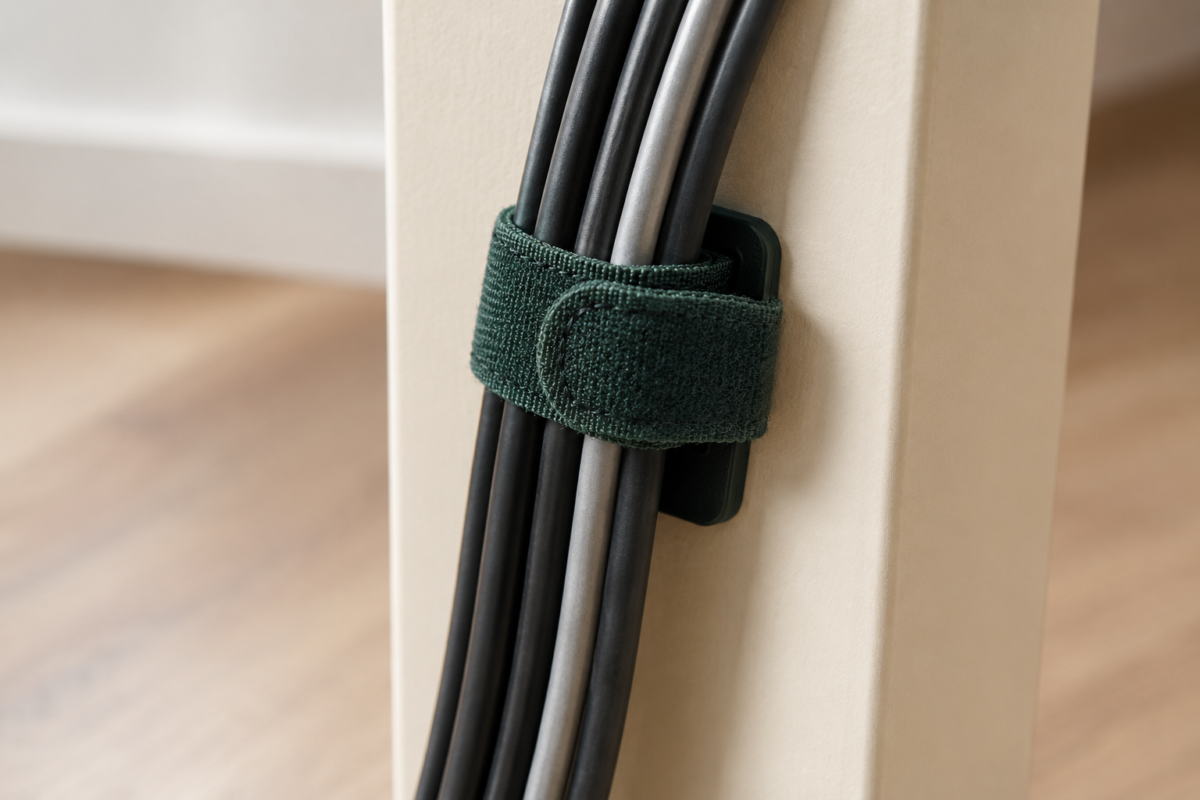
Multiple cords bundling into a visible knot behind or beneath the desk is usually a sorting problem more than a space problem, and it’s solved by grouping cords with reusable fabric velcro ties rather than one-time zip ties, since velcro allows you to add or remove a cable later without cutting anything apart and starting over.
Group cords by function rather than by proximity, keeping all power cords in one bundle and all data or charging cables in another, which makes it far easier to trace a specific cord later if something needs to be unplugged or replaced. A fabric cord sleeve, essentially a zippered fabric tube that multiple cables run through together, takes this a step further by turning several loose cables into a single, clean-looking cord for any stretch that’s visible.
Problem: Too Many Devices, Not Enough Outlets
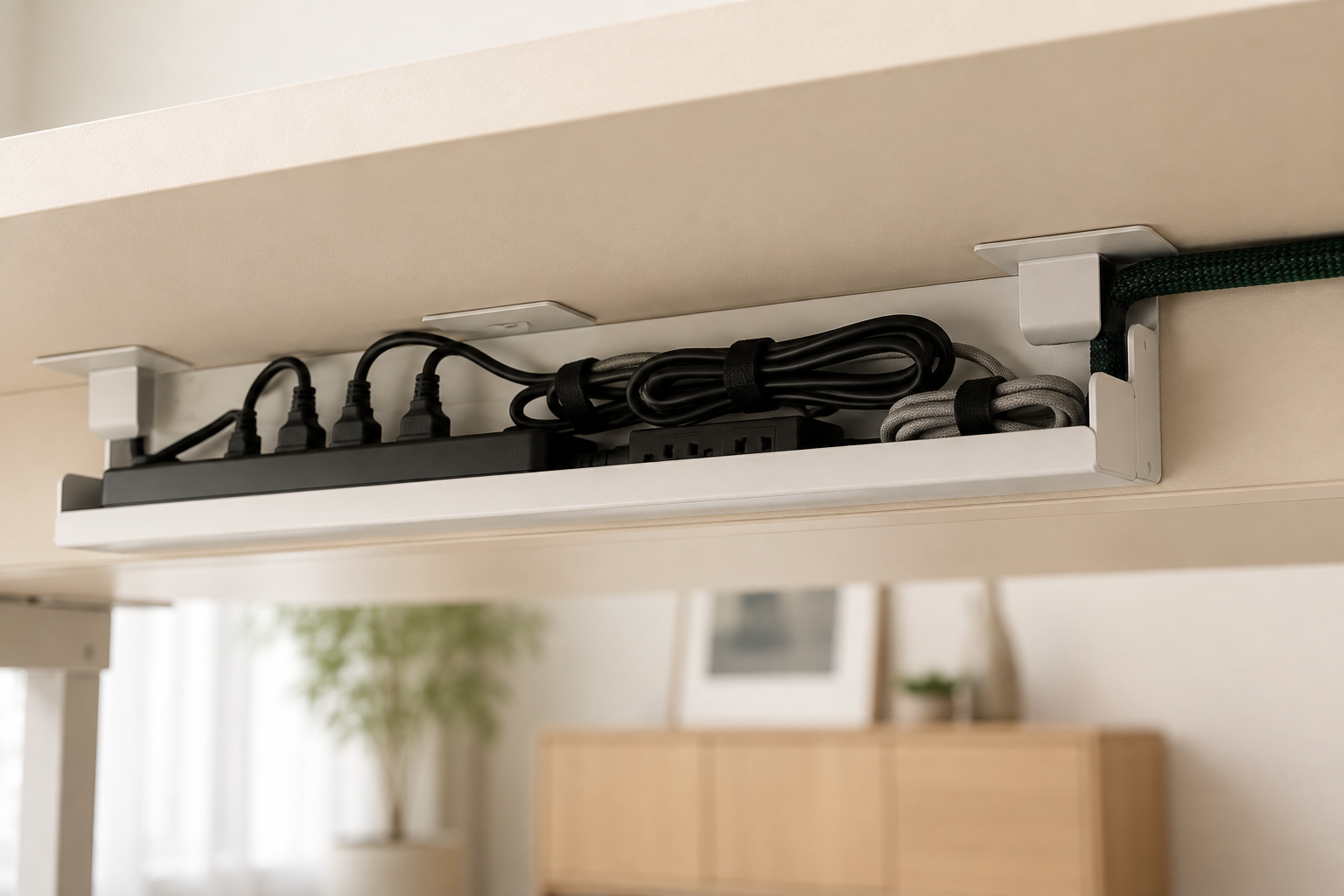
Running out of outlets for a laptop charger, a lamp, a phone charger, and any additional accessories at once is solved with a single mounted power strip rather than a chain of small adapters, and mounting that power strip under the desk rather than leaving it sitting on the floor keeps both the strip and its plugs out of the main visual space entirely.
A power strip with individually switched outlets is worth the small extra cost, since it lets you power down a specific device without unplugging it entirely. Mount the strip to the underside of the desk using its built-in mounting holes or a rated adhesive bracket, positioned close enough to the wall outlet that the main cord stays short and controlled. For multiple small devices that only need USB charging, a compact USB charging hub can replace several individual wall chargers with a single plug, reducing the total cord count considerably.
Problem: Cords Visible on Video Calls
Cords visible in a video call’s camera frame read as cluttered even when the rest of the desk is genuinely tidy, and the fix is routing any cord that falls within the camera’s typical field of view either fully behind the monitor or laptop screen, or through a small cord management box that hides the visible portion entirely.
Check your actual camera frame during a test call, since what’s visible on screen is often a narrower and lower section of the desk than what you see while sitting at it. A cord that’s perfectly fine in person can still be the first thing visible on a call if it crosses through that specific frame. A small covered cord box, positioned just behind the laptop or monitor, catches this exact problem by hiding the power strip and its immediate cord cluster from the camera’s typical angle.
Problem: Chargers That Keep Wandering Off
A charger that migrates around the apartment, ending up in a bag, a different room, or simply missing when it’s needed, is solved by assigning it a single fixed spot at the desk and keeping a small dedicated tray or organizer there specifically for chargers and small cables that aren’t currently in active use.
This is less about the cord itself and more about building a consistent habit, similar to any other organizing system. A small charging tray or a labeled section of a desk drawer, used consistently every time a charger comes off a device, prevents the daily search that otherwise eats a few minutes out of the start of the workday.
The Under-Desk Cable Tray: Worth the Extra Step
An adhesive-mounted under-desk cable tray, sized to hold a power strip and the immediate cluster of cords plugged into it, solves several of the problems above at once, and it’s worth the modest cost for anyone dealing with genuinely heavy cord clutter rather than just one or two loose cables.
Choose a tray rated for the combined weight of your power strip and cords, and mount it using either the tray’s built-in screw holes for a permanent setup or a rated adhesive bracket for a fully rental-friendly version. Positioned along the desk’s back edge, a tray like this keeps the entire cord cluster, power strip included, fully out of sight from both a seated position and most video call camera angles at once.
Frequently Asked Questions
Should I use zip ties or velcro ties for cable management? Velcro ties, generally, since they can be reopened and adjusted as you add or remove devices, while zip ties need to be cut off and replaced every time a change is needed. The small extra cost of velcro ties pays off quickly in flexibility.
Is it safe to mount a power strip under a desk? Yes, as long as it’s mounted using the power strip’s built-in mounting holes or a rated adhesive bracket that can support its weight, and the strip isn’t overloaded beyond its rated capacity. Avoid covering it with fabric or anything that traps heat.
How do I hide cords from showing up on video calls specifically? Check your actual camera frame during a test call rather than assuming based on how the desk looks in person, then route any cord within that visible frame behind the laptop or monitor, or through a small cord box positioned just out of camera view.
What’s the fastest single fix for a genuinely messy desk cord situation? Grouping cords with reusable velcro ties, sorted by function, delivers the most visible improvement for the least time investment. It won’t solve every problem on this list, but it’s the quickest way to turn an obvious tangle into something that at least looks intentional.
Related Reading
For the full seven-step order to organizing a small desk overall, The Complete Guide to Organizing a Small Desk covers where cord management fits alongside zoning and paper systems.
If you’re setting up your desk area from scratch, The Complete Guide to Setting Up a Small Home Office covers power and lighting placement before cord management even becomes a factor.
For rental-friendly mounting methods for a cable tray or cord cover, DIY Projects That Won’t Cost You Your Security Deposit covers the reversibility test worth running before installing anything.
Browse the full Desk Organization category for more daily-use systems, or explore the wider Home Office & Small Workspaces hub for full setup and shared-space guides.