Table of Contents
Your laptop is still open on the kitchen table from yesterday. There’s a coffee ring next to the keyboard and a stack of mail you haven’t opened because the laptop is sitting on top of it. At 8:58, you close eleven browser tabs, sit down in the same chair you’ll eat dinner in later, and call that your office.
If that’s your setup, here’s the direct answer: you can build a real, functional work-from-home space in a small apartment or a single room without a spare room, without a landlord’s permission, and without spending a home-office budget. It comes down to claiming one dedicated zone, even a narrow one, choosing furniture that earns its footprint, and building a shutdown routine that closes the workday the way an office door would. This guide walks through all of it, in order, from finding your spot to the last five minutes before you log off.
Working from home isn’t a fringe arrangement anymore. As of March 2026, 22.6 percent of U.S. workers did some or all of their job from home, and the number climbs even higher among women and college-educated workers. That’s a lot of people trying to solve the exact problem you’re solving right now: turning a corner of a small home into a place that actually works.
Where do you put a home office when you don’t have a spare room?
You don’t need a spare room. You need one dedicated zone, no bigger than a coat closet, that’s used for work and nothing else. Look at underused vertical space first: a closet you can convert, a wall beside a window, the end of a hallway, or a corner that currently just collects laundry. The goal is a spot with a real boundary, even if that boundary is just a rug or a curtain.
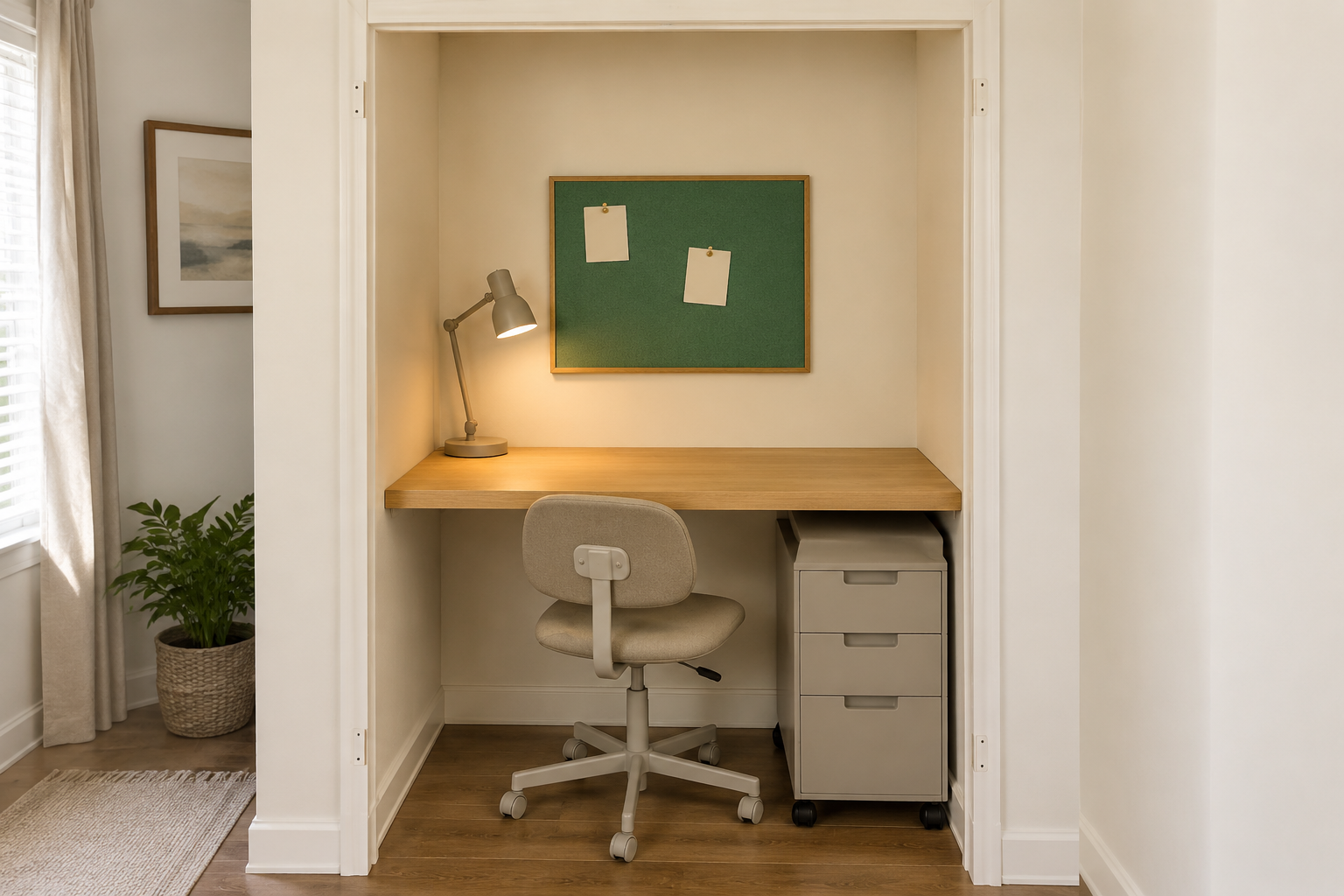
Start by walking your home and ruling out multi-use surfaces. Your kitchen table, your bed, and your couch are already claimed by other parts of your life, and using them for work means your brain never fully leaves work mode in any of those rooms. Instead, look for dead zones: the wall behind a door when it’s open, the awkward gap beside a dresser, a closet that’s currently storing off-season coats. A closet with the doors removed, or folded back and secured, can become a compact office in an afternoon, and it closes up completely once you’re done working. That solves half the boundary problem before you’ve bought a single thing.
If your apartment is a true studio with no wall space to spare, a room divider does the job instead. A slim bookshelf, a folding screen, or even a tall shelving unit positioned perpendicular to a wall creates a visual break between “living” and “working” without a single nail. <a href=”/desk-organization-category”>If your desk drawers end up doing double duty for work supplies and everything else, this guide to desk organization in tight layouts covers the systems that keep the two from tangling.</a>
Once you’ve picked the zone, measure it. A workable desk footprint starts around 24 inches wide by 16 inches deep. Smaller than that, and a laptop alone will crowd the surface. Write that number down before you go furniture shopping, because it’s the single most useful thing you can bring into a store or a browser tab.
What’s the right desk and chair for a small work-from-home setup?
For a small space, the right desk is the smallest one that still fits your actual equipment, and the right chair is the one that supports your back for eight hours, not the one that looks best in a photo. A fold-down or wall-mounted desk works well if your zone doubles as a walkway. A slim console desk, 24 to 30 inches wide, works well against most walls. Chair size matters less than lumbar support and adjustable height, both of which are easy to check in five minutes with any chair you’re considering.
Fold-down desks are the single biggest space-saver on this list. A wall-mounted, hinged desk collapses to a few inches deep when you’re not working, which matters enormously if your “office” doubles as your hallway, your entryway, or the wall behind your dining chair. Look for one rated to hold at least 40 pounds if you’re running a monitor and a laptop. Flimsier versions will sag under real equipment within a few months.
If a fold-down desk isn’t practical, a narrow secretary desk or console table is the next best option. These typically run 12 to 16 inches deep, shallow enough to sit against a hallway wall without blocking foot traffic, and many secretary-style versions include a drop-front panel that hides the whole workspace when you’re done for the day. That hidden-away quality does real work for your mental boundary between “on the clock” and “off.”
The chair is where people cut corners, and it’s the one place you shouldn’t. A dining chair or a folding chair might work for an hour of email, but eight hours a day of desk work on unsupported seating leads to real back and shoulder strain over weeks and months. You don’t need a $600 ergonomic chair. You need one with adjustable seat height, some lower-back support, and armrests that don’t force your shoulders up. Secondhand marketplaces are a genuinely good source here. Office chairs get replaced often in corporate downsizing and turn up used at a fraction of retail.
How do you handle cables, a monitor, and tech clutter in a tiny workspace?
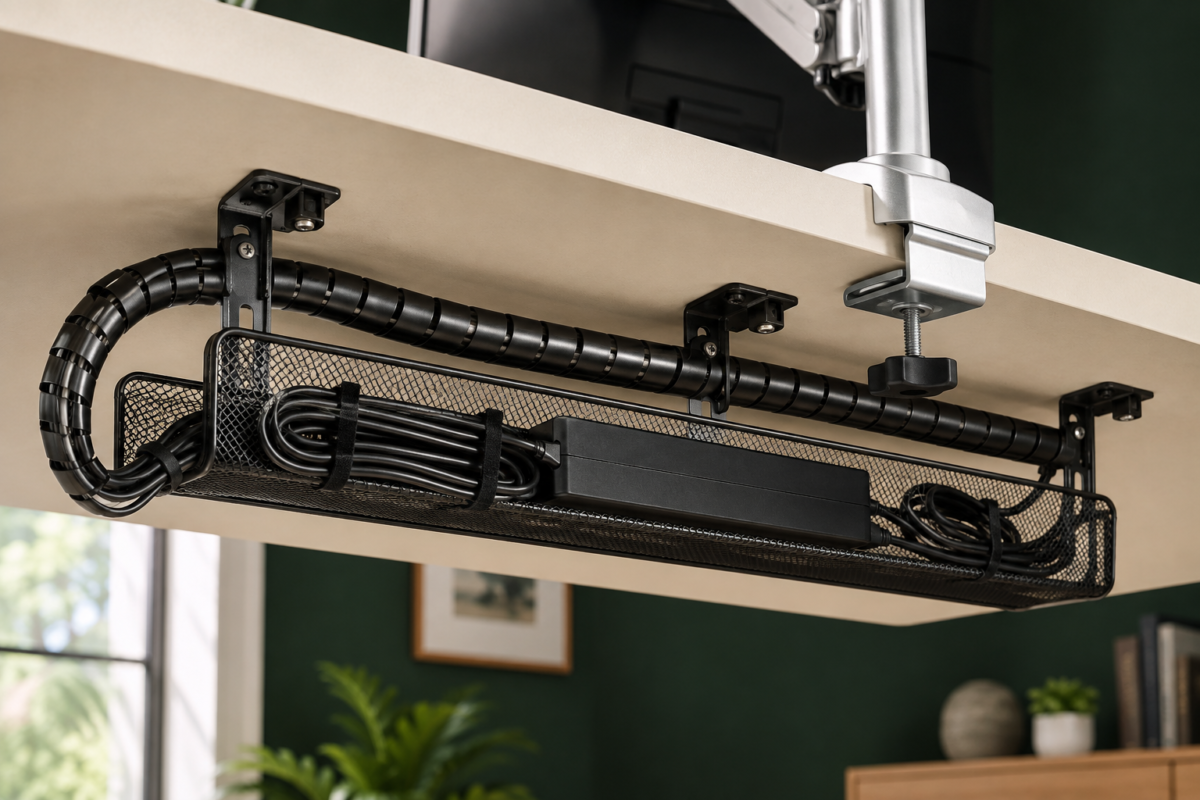
Tech clutter shrinks a small desk faster than almost anything else, so the fix is to get cables off the surface entirely and choose equipment sized for the space you actually have. A single monitor arm, a cable tray mounted under the desk, and a compact laptop stand solve most of the problem in one afternoon, with almost no ongoing maintenance after that.
A monitor arm clamps to the back edge of your desk and holds your screen a few inches above the surface, which frees up the entire desktop underneath for a keyboard, a notebook, or nothing at all. It also lets you push the monitor closer to the wall when you’re done working, shrinking the whole setup’s visual footprint. Pair it with a laptop stand and an external keyboard, and your laptop screen sits at eye level instead of forcing you to hunch over a low surface for hours.
Cables are the next fix. A cable tray that mounts to the underside of your desk, usually a simple metal or mesh basket screwed or clamped in, catches your power strip, chargers, and cable slack out of sight. Route your cords through a single cable sleeve or spiral wrap from the tray to your equipment, and the tangle disappears from view completely. That matters more than it sounds like it should when your desk sits in your living room or bedroom. <a href=”/small-home-offices-category”>This guide to small home office setups under 20 square feet has a full breakdown of monitor arm and cable tray brands that hold up in daily use.</a>
Go wireless wherever you reasonably can. A wireless keyboard and mouse remove two more cords from the desk, and a wireless charging pad tucked at the desk’s edge means your phone charges without another cable running across the surface. None of this is expensive. It’s mostly under $60 total, but the visual effect of a cable-free desk changes how the whole space feels within a day of setting it up.
What’s the best way to store work supplies in a small space?
Store work supplies vertically and behind closed doors wherever possible, since open shelving on a small desk reads as clutter even when it’s organized. A wall-mounted shelf above the desk, a rolling file cart beside it, and one closed-lid bin for anything you use less than weekly cover almost every category of supply a home office actually needs.
Start above the desk, not on it. A single floating shelf mounted 12 to 16 inches above your work surface holds reference binders, a small printer, or a plant, without taking up an inch of your actual desktop. If your zone is a closet conversion, the closet’s existing shelf usually sits at the right height already.
Paper is the supply most people underestimate. A slim rolling file cart, about 12 inches wide, tucks under a console desk or beside it and holds a hanging-file system for anything you need to keep on paper, signed documents, tax records, printed reference material. Because it rolls, it can slide fully out of sight against a wall when you’re not using it, which keeps the desk zone from creeping into the rest of the room. <a href=”/closet-organization-category”>If paper and supply overflow is spilling into your closet too, this closet organization guide covers the same vertical-storage logic applied to a full closet.</a>
For everything else, cables you’re not using, spare chargers, old notebooks, one closed-lid bin beats three open trays every time. Open storage looks organized for about a week and then becomes a landing zone for whatever’s nearby. A single opaque bin with a lid, stored on the file cart’s bottom shelf or in the closet above your desk, holds the overflow without it being visible from the rest of the room.
How can you make a small home office feel intentional instead of makeshift?
A small workspace feels intentional the moment it looks chosen rather than assembled from spare furniture, and that comes down to three things: one consistent color story, real task lighting, and at least one object that has nothing to do with work. This is the Style stage of what we call the Taims Space Method: simplify the space, organize what’s left, then style it so it actually looks like somewhere you’d choose to sit.
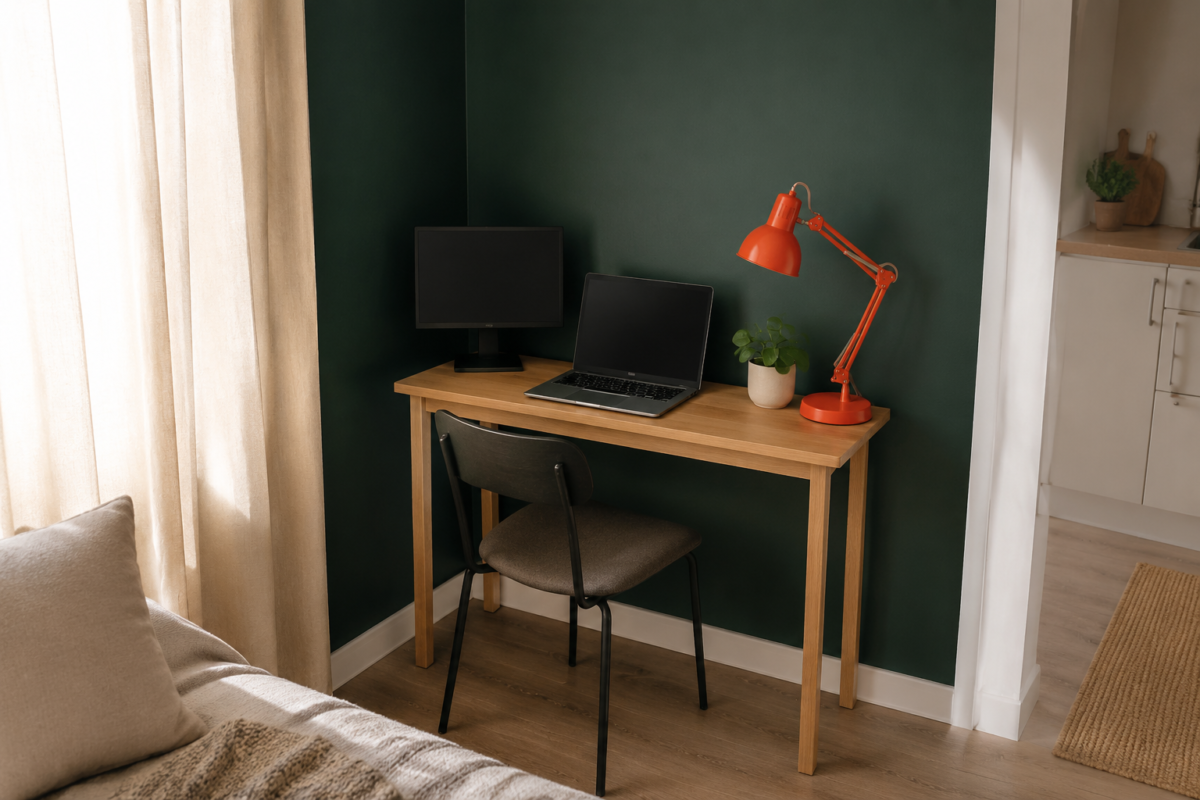
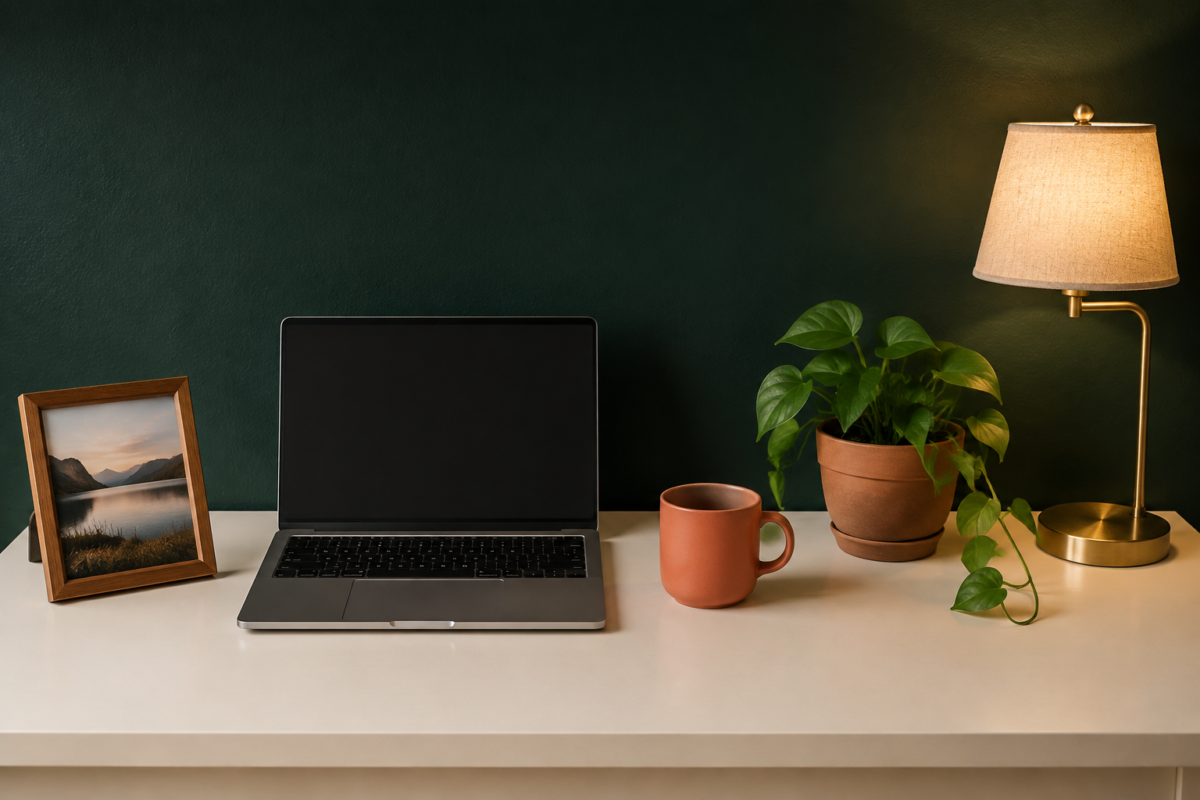
Pick a color story before you buy anything else. If your desk sits against a Deep Forest or Mid Forest Green wall, keep your desk accessories in Warm Cream and let a single coral accent (a mug, a small tray, a pen cup) do all the visual work. Matching accessories, even inexpensive ones, read as intentional in a way that a random collection of office-supply-store items never does, no matter how well-organized they are.
Lighting changes the feel of a small desk more than almost anything else on this list. Overhead light alone tends to flatten a small zone and make it feel clinical. Add one warm-toned task lamp at desk height, and the whole corner reads as a considered space instead of an afterthought, a distinction that matters even more in a studio apartment where your desk sits within view of your bed or your couch all day.
Finally, put one non-work object in the zone. A small plant, a framed photo, a candle you actually like: something that has nothing to do with your job. It sounds minor, but a desk that’s entirely work-branded feels like a workstation, and a desk with one personal object feels like a place you’d choose to sit even on a Saturday. That single detail is often the difference between a corner that looks like storage and one that looks like it belongs in the room.
What’s a good end-of-workday routine when your office is also your living room?
Close your workday the same way every day, with a physical action that marks the switch: close the laptop, cover or fold away the desk, and leave the zone for at least fifteen minutes before you re-enter it as a living space. Without a commute or a closing office door, your brain needs a manufactured signal that work has actually ended, and a consistent physical routine is the most reliable way to create one.
Researchers studying remote work have found that the average person working from home gains back roughly 72 minutes a day that would otherwise go to commuting, and a meaningful share of that time gets absorbed straight back into more work rather than rest — precisely because there’s no physical transition marking the end of the day. Building one back in isn’t a luxury. It’s the thing that keeps your kitchen table from turning into an unpaid second shift.
Start with the desk itself. If it’s a fold-down model, fold it away. If it’s a console desk, close your laptop and set one object, a small tray, a folded cloth, anything, over the keyboard as a visual “closed” sign. This takes ten seconds and does more to end the workday than any productivity app will.
Then leave. Physically walk out of the zone and do something in a different part of your home for at least fifteen minutes: change clothes, start dinner, take a short walk if you have the option. The goal isn’t the specific activity. It’s putting a gap between “working” and “living” so your evening doesn’t just blur straight out of your last Slack message.
By the time you sit back down in that same general area of your apartment for dinner or to watch something, the desk should genuinely look closed, not just abandoned mid-task. That’s the whole difference between a small space that has a home office in it and a small space that’s been quietly taken over by one.
FAQ
Do I need a separate room to work from home productively? No. A dedicated zone as small as a closet or a single wall segment works, as long as it’s used only for work and has a clear physical boundary, like a curtain, a room divider, or a closet door.
What’s the minimum desk size that actually works for a laptop and monitor? Around 24 inches wide by 16 inches deep is the practical minimum for a laptop plus one external monitor on a stand. Anything smaller crowds the surface and pushes you toward working with the laptop directly on your lap, which undoes the point of having a desk zone at all.
How do I stop my home office from taking over my living room? Choose furniture that closes, folds, or rolls away: a fold-down desk, a secretary desk with a drop front, or a rolling file cart that tucks against a wall. Combine that with a consistent end-of-day routine so the space visually resets every evening.
Is it worth buying an ergonomic chair for a small apartment office? Yes, more than almost anything else on this list. You don’t need a top-tier model, but adjustable height and real lower-back support matter for eight hours of daily use, and secondhand office chairs are widely available for a fraction of retail price.
Can I work from home in a studio apartment with no separate walls at all? Yes. A room divider, a tall bookshelf placed perpendicular to a wall, or even a floor-length curtain on a tension rod can create a visual and mental boundary around a desk zone, even in a single open room.
What your workday actually looks like once this is set up
By the time this setup is finished, your morning doesn’t start with hunting for an outlet or clearing yesterday’s mail off the table. You walk to one specific corner, the desk unfolds or the closet doors are already pushed back, your monitor’s already at eye level, and your cables are exactly where you left them because they’re bolted under the desk instead of loose on top of it. At 5:30, you close the laptop, fold the desk or drape the cover over it, and walk away. For the first time since you started working from home, your living room actually looks like a living room again by dinner.
Related Reading
- The Best Fold-Down Desks for Renters Who Don’t Have a Home Office — if the wall-mounted desk option above is the right fit for your zone, this roundup compares weight ratings, hinge quality, and price across the models worth considering.
- How to Hide Your Desk in a Studio Apartment When Your Workday Ends — a deeper look at drop-front and cover solutions for anyone whose desk sits inside their main living space.
- Cable Management Ideas That Actually Work in a Small Apartment — the full cable tray and cord-routing breakdown referenced above, including brand-specific picks.
- Parent Category: Work-From-Home Setups
- Parent Hub: Home Office & Small Workspaces