Table of Contents
A desk stays organized for exactly as long as every object on it has a specific, assigned job — and it turns into a catch-all the moment something without a job gets set down “just for a second.” That single unassigned object is almost always how the pile starts. Mail lands on the desk because there’s no other spot for it yet. A charging cable stays loose because there’s no box to put it in. Within two weeks, a clean desk is buried, and it wasn’t because the desk was too small — it was because nothing on it had a real home.
This guide covers the systems that actually prevent that: what belongs on the surface, what goes in drawers or bins, how to handle cables and paper specifically (the two biggest catch-all culprits), and a daily reset that takes under five minutes.
Why Small Desks Become Catch-Alls
A desk becomes a catch-all when it’s the most visible flat surface in the room and nothing else in the space has an assigned spot for loose items — mail, keys, chargers, and small objects all default to whatever surface is closest to the door or most visible, and in a small home office, that’s usually the desk. This isn’t a discipline problem. It’s a missing-system problem, and it gets fixed with systems, not willpower.
The fix starts with one question for every object that lands on the desk: does this have a home somewhere else? If yes, it goes there immediately, not “later.” If no, it needs one created — a small bin, a hook, a drawer — before it’s allowed to stay on the desk surface at all.
The One-Job Rule for Every Desk Surface Object
Every item that stays permanently on the desk surface should have exactly one active job, and anything that’s “just in case” or “might need it later” belongs in a drawer, not on the surface. A pen cup holding pens you actually use has a job. A pen cup also holding three dead pens, a paperclip, and a spare key does not — it’s become a miscellaneous bin disguised as desk decor.
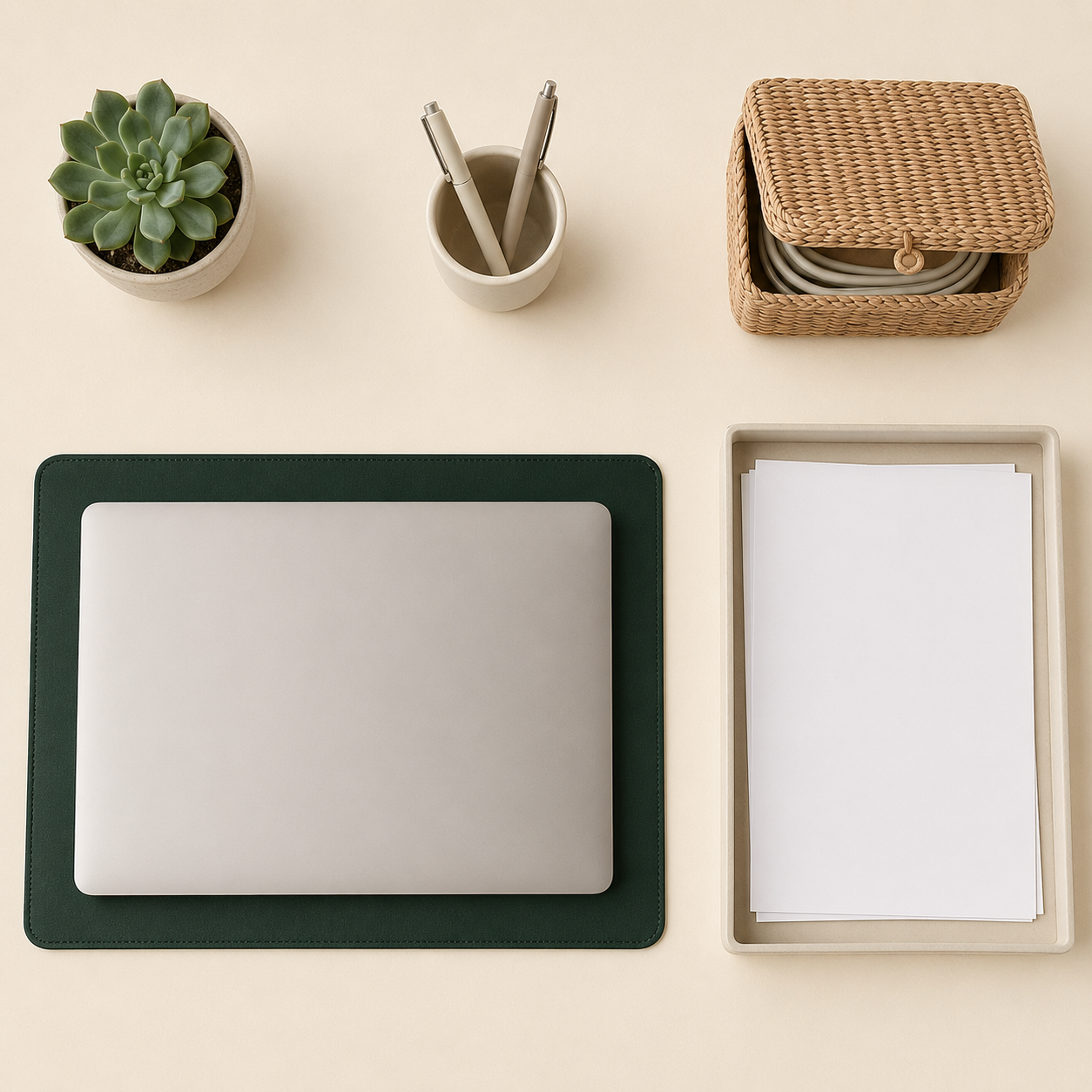
A workable surface typically holds no more than four to six objects: a laptop or monitor, one pen or supply holder, one active paper tray, and a small plant or personal object. Everything else — spare supplies, reference documents, chargers not currently in use — moves to a drawer or bin system below the surface.
Drawer and Bin Systems for Small Desks
A small desk without a built-in drawer still needs drawer-equivalent storage — a slim rolling cart, a stackable bin set, or an under-desk organizer — because loose supplies without a container always migrate back to the surface eventually. The container matters less than the rule: every category of supply gets one specific container, and nothing goes in “wherever there’s room.”
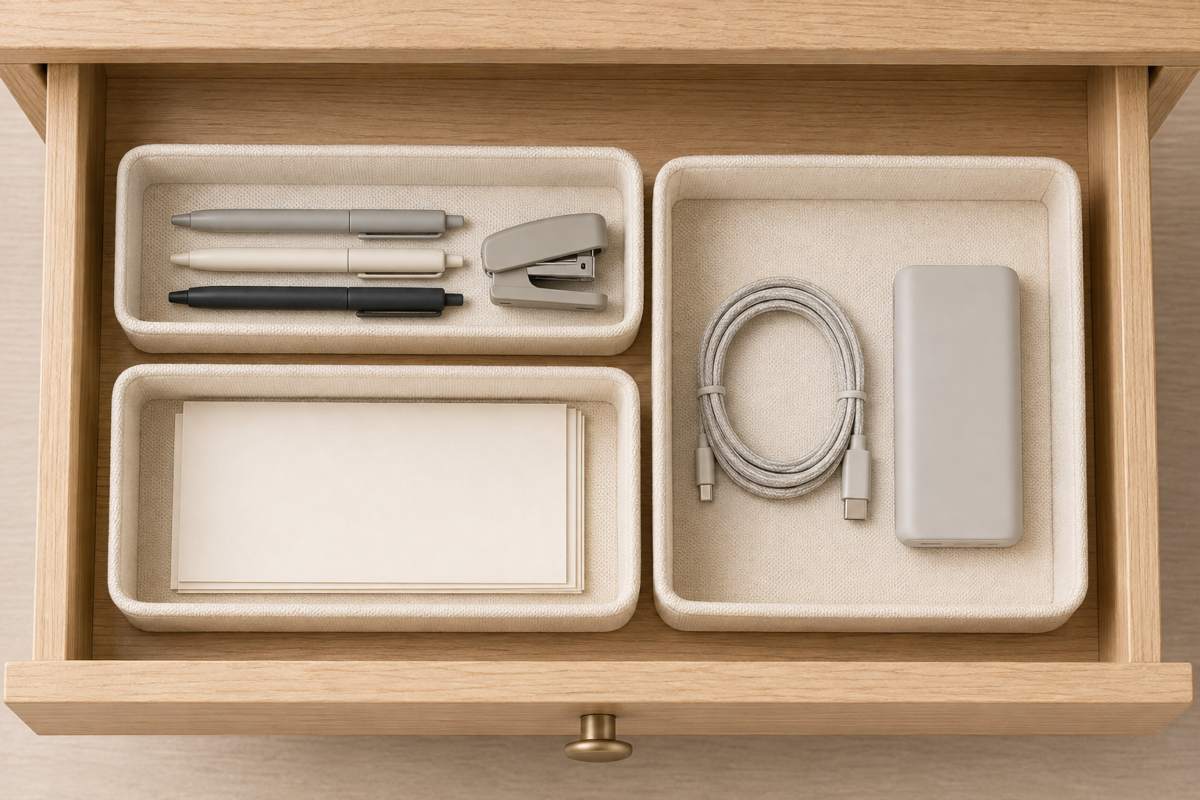
A simple three-category system covers most small desks: an active supplies bin (pens, sticky notes, a stapler — things used daily), a reference bin (documents or supplies used occasionally but not daily), and a cable and charger bin (covered in more detail below). Label these if you’re sharing the desk with anyone else, so the system holds up even when you’re not the one putting things away.
Cable Management That Actually Stays Tidy
Cables stay tidy when every cord has a specific path and a specific place to coil when it’s not being used, not when you simply own more cable clips. A charging cable with nowhere to go when unplugged ends up looped loose on the desk or trailing onto the floor, regardless of how many organizers are sitting nearby unused.
A workable system: mount a small cable tray or clip set to the underside of the desk to route cords away from the visible surface, use a single small box or bin (not a drawer, which hides cords too well to find quickly) for cords currently unplugged, and coil each cable with a reusable velcro tie before setting it down, rather than letting it land loose.
Paper and Mail Systems
Paper piles up faster than any other category on a small desk because most paper that lands there has no clear next step — it’s not quite trash, not quite something to file, so it just stays. The fix is a simple three-tier system: act on it today, file it this week, or recycle it now, with no fourth category allowed. Anything that doesn’t clearly belong in the first two tiers goes straight to recycling, rather than sitting in an ambiguous middle pile.
A single small tray labeled for active paper only (bills to pay, forms to sign this week) keeps this system honest — if the tray is full, something needs to move to filing or recycling before anything new goes in.
For actual filing (the “file it this week” tier), a slim accordion folder or a single small file box works better than a full filing cabinet in most small home offices — it holds a reasonable amount of paper without taking up floor or desk space, and its limited size forces regular clearing out, which a large cabinet doesn’t.
Organizing a Desk That Doubles as Something Else
If your desk is also a dining table, a console table, or another piece of furniture with a second job, the organization system needs a clear “off” state, not just an “on” state — everything work-related needs a single container that fully leaves the surface when the desk goes back to its other job. A laptop bag, a slim rolling cart that tucks under the table, or one closed bin that holds the day’s supplies all work, as long as the transition takes under a minute.
The mistake to avoid here is letting “just for today” work items slowly claim a permanent corner of a surface that’s supposed to serve double duty. If a stack of papers has been sitting on the dining table’s corner for a week, the desk-and-dining system has quietly become a full-time desk with dining as an afterthought — worth noticing before it becomes the room’s actual layout by default.
The 5-Minute Daily Reset
A daily reset that takes under five minutes at the end of each workday is what keeps a desk organization system working long-term, far more than any specific bin or tray choice. The reset is simple: clear anything that arrived on the surface today and doesn’t belong there permanently, return anything used today to its assigned bin, and confirm the active paper tray hasn’t overflowed.
This works because it catches drift before it becomes a pile. A desk that gets reset daily rarely needs a big weekend reorganization, because nothing is ever allowed to accumulate for more than a day.
Common Desk Organization Mistakes
The most common desk organization mistake is buying more organizers before fixing the underlying habit of setting things down without a plan — a desk with five empty trays still becomes cluttered if nothing has an assigned job. A few other patterns worth avoiding:
- Creating a “miscellaneous” bin. A catch-all container just moves the clutter problem into a drawer instead of solving it — everything still needs a specific category.
- Skipping the daily reset because “it’ll only take a minute tomorrow.” Two days of skipped resets becomes a pile that takes thirty minutes to fix instead of five.
- Over-organizing rarely-used supplies. Elaborate systems for things used once a month waste effort that’s better spent on the daily-use items actually causing the clutter.
FAQ
How many organizers does a small desk actually need? Three categories usually cover it: active supplies, reference materials, and cables. More organizers than that often just creates more places for things to get lost without solving the underlying clutter.
What’s the fastest way to fix an already-cluttered desk? Clear the entire surface into one pile, then sort that pile into the one-job categories above (active supplies, reference, cables, trash/recycling) before putting anything back. Trying to organize in place, item by item, takes far longer than a full clear-and-sort.
Should I keep mail on my desk at all? Only in a dedicated active tray, checked daily. Mail without a specific tray defaults to wherever it was set down, which is almost always the desk surface itself.
How do I keep a shared desk organized when someone else uses it too? Label bins clearly so the system doesn’t depend on only one person remembering where things go, and agree on the daily reset habit together rather than assuming it’ll happen automatically.
Is it worth buying a fancy desk organizer set, or is a basic one enough? A basic set works identically to an expensive one as long as it has enough separate compartments for your specific categories. The system matters far more than the organizer’s price point.
How do I organize a desk that’s also my dining or console table? Keep all work items in one container — a bag, a bin, or a slim rolling cart — that fully leaves the surface when the desk switches back to its other job. If work items are staying on the surface between uses, the “off” state of the system has stopped working and is worth resetting.
Related Reading
- The Complete Small Home Office Guide — the full setup → organization → comfort sequence this guide fits into
- Small Home Office Setup Guide — fitting a real workspace into a corner, closet, or shared room
- Work-From-Home Setup Guide — ergonomics, lighting, and comfort upgrades that don’t need a dedicated room
- Complete Guide to Organizing a Small Desk — related Taims Space guide.
- Cable Management for a Desk — related Taims Space guide.
- Where Paper and Mail Should Live — related Taims Space guide.
- Vertical Desk Storage — related Taims Space guide.
- Start and End of Day Work Routine — related Taims Space guide.
Category: Desk Organization Hub: /home-office-small-workspaces/
Reviewed by the Taims Space editorial team.